

A guild brings players together under one name, with its own chat channel, its level and its guild spells that benefit all its members. This tutorial explains how to create or join a guild, make it grow with your hero emblems and activate its spells, with in-game screenshots.
How it works
Creating or joining a guild
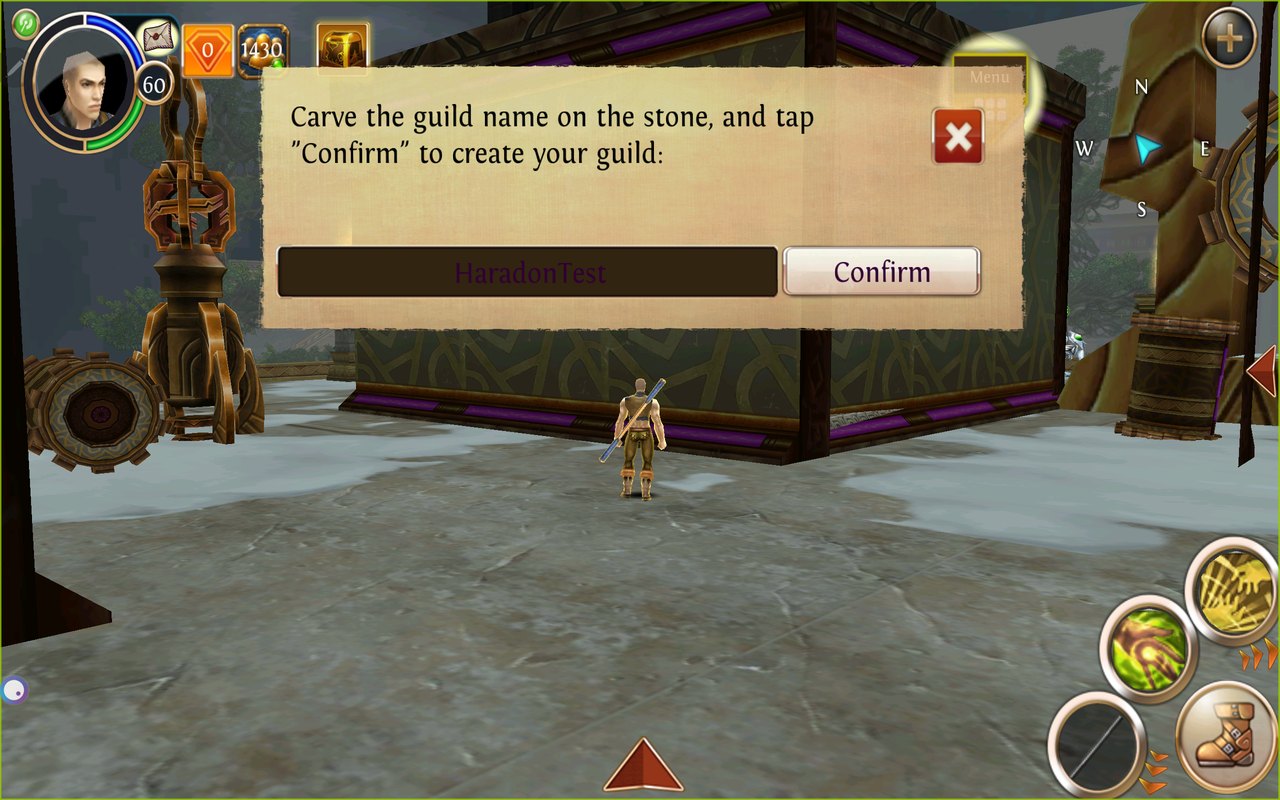
- Create: buy a Guild Stone (level 10, 5 gold) from Magria Starforce, in Greenmont and in Silence, or from Synanche Kickshin at the Sanctuary. Use it from your bag, carve your guild's name on the stone and confirm: you become its leader.
- Join: the guild leader or an administrator invites you (Manage, then Manage again: your name in the first field, then the button next to it); you both need to be online at the same time and you must be at least level 10. A window then offers Accept or Refuse.
- Manage members: in the Manage list, the leader and administrators tap a member to promote, demote or kick them; Quit leaves the guild.
- The guild window opens from the top menu (the golden Menu button), Guild banner. The Guild chat channel lets you talk to every member.
Level, fund and vitality
- In the Guild Information tab, the Donate button gives your Hero emblems to the guild (tap the amount to choose 10, 50, 100, 500 or 1,000).
- Each emblem you give counts twice: 1 point toward the guild level (cumulative, never lost) and 1 emblem in the fund, which the leader spends on spells.
- The guild's vitality goes up on its own: +20 each time a member completes a quest. It's used to unlock and activate spells.
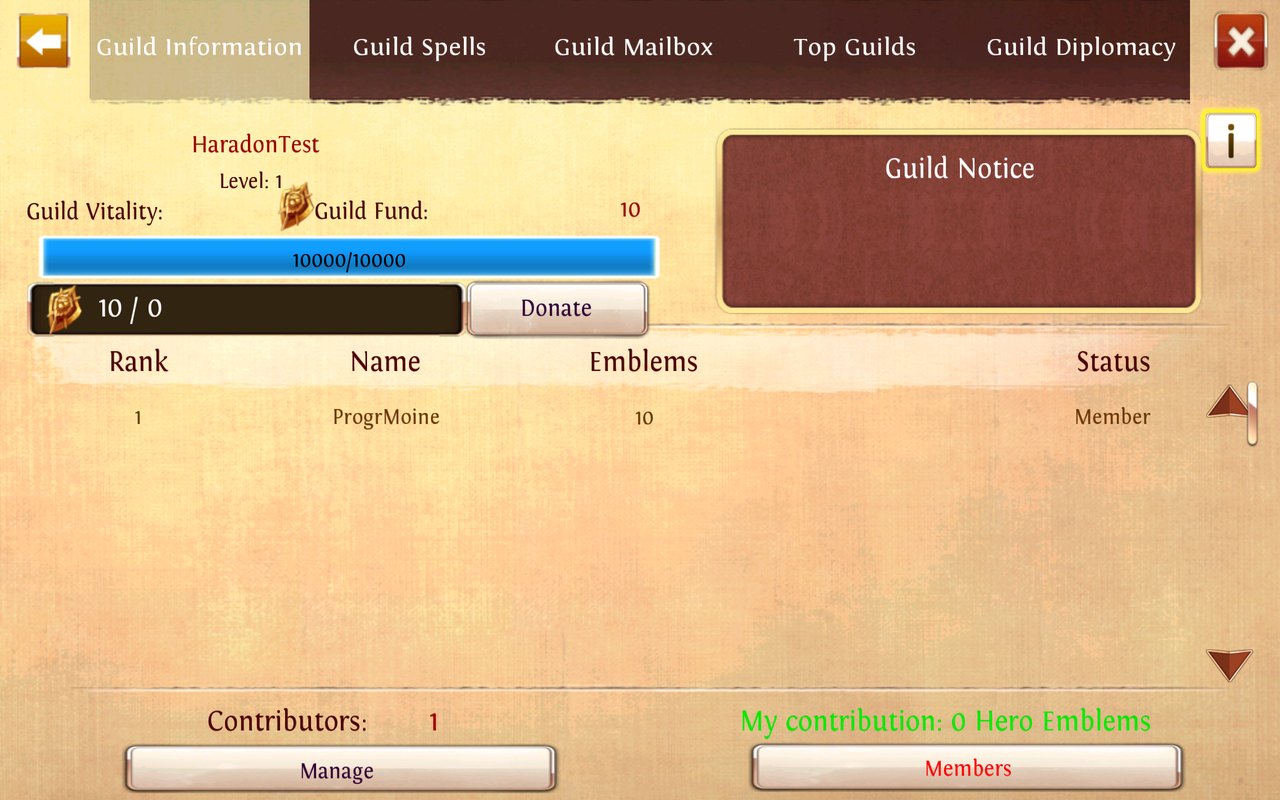
- The Contributions button shows the ranking of the guild's donors, former members included; your own contribution is shown under the list.
| Level | Total points | What it unlocks | Max members |
|---|---|---|---|
| 1 | 0 | True Genius, Combat Hunger; spells up to rank 1 | 50 |
| 2 | 1,000 | Mystic Regeneration, Tempered Armor; rank 2 | 60 |
| 3 | 3,000 | Brisk Pace, Star of the Arena | 70 |
| 4 | 6,000 | The Fruits of Friendship, Saintly Purification; rank 3 | 80 |
| 5 | 10,000 | 2nd activated spell slot | 90 |
| 6 | 15,000 | rank 4 | 100 |
| 7 | 21,000 | — | 110 |
| 8 | 28,000 | — | 120 |
Maximum vitality is 10,000 at level 1, then +4,000 per level (38,000 at level 8).
Guild spells
| Spell | Effect at ranks 1 / 2 / 3 / 4 |
|---|---|
| True Genius | monster experience +3 / 5 / 7 / 9% |
| Combat Hunger | attack, spells and healing +1 / 2 / 3 / 4% |
| Mystic Regeneration | restores 0.2 / 0.4 / 0.6 / 0.8% of max HP every 10 s |
| Tempered Armor | damage taken −1 / 2 / 3 / 4% |
| Brisk Pace | speed +3 / 5 / 7 / 9% |
| Star of the Arena | resilience +1 / 2 / 3 / 4% |
| The Fruits of Friendship | to cast: revives group members within 30 m (cooldown 120 / 90 / 55 / 35 min) |
| Saintly Purification | to cast: removes control effects (cooldown 120 / 90 / 55 / 35 min) |
- Unlocking a spell (rank 1) costs 2,000 vitality.
- Upgrading costs emblems from the fund and time: rank 2 = 300 emblems and 12 h, rank 3 = 800 and 24 h, rank 4 = 2,000 and 72 h. Only one upgrade at a time, and never on an activated spell.
- Activating: drag the spell's icon into the Activated Spells area (or tap it). Cost per rank of the spell: 500 vitality and 50 emblems. The spell lasts 3 hours and benefits every member; the last two can be cast like a normal spell during that time.
- One activated spell at a time, two from guild level 5.
- Only the leader and administrators unlock, upgrade and activate spells; everyone can donate emblems.
Top guilds
- The Top Guilds tab ranks guilds by total points.
Step by step
- Use the guild stone from your bag, carve your guild's name and tap Confirm: the stone is used up and you become the leader of your new guild.
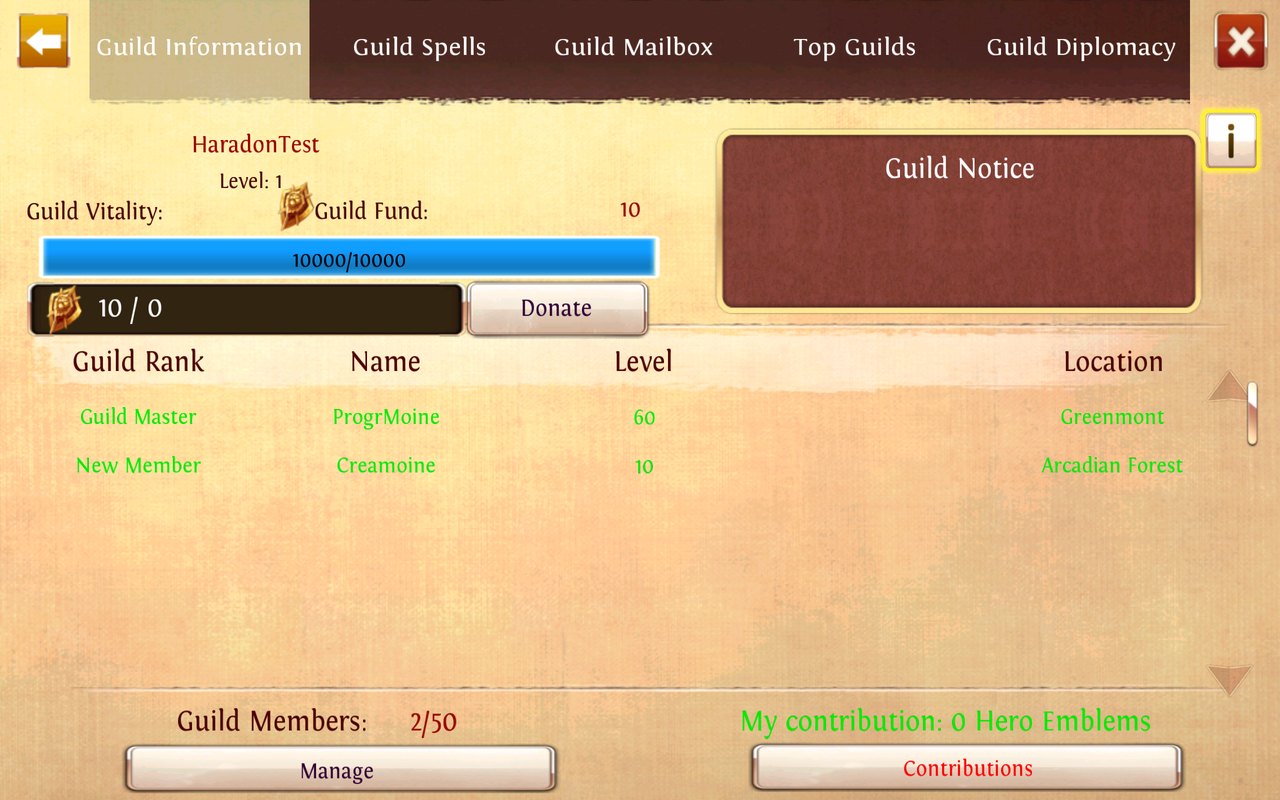
- Open the top menu, Guild banner: the Guild Information tab shows the name, level, vitality, fund and the member list (title, name, level, location), with their number at the bottom.
- Tap the amount (left of Donate) to choose it, then Donate: the fund grows and your contribution is shown in green at the bottom of the window. The Contributions button switches the list to the donor ranking; Members switches it back.
- Guild Spells tab: tap the + to the right of a spell to unlock or upgrade it (the game shows the cost and asks for confirmation).
- Drag the icon of an unlocked spell into Activated Spells: every member gets it for 3 hours.
Frequently asked questions
- If I leave the guild, do I lose my contribution? No: it stays on record ("Former member") and you get it back if you return to the same guild. Donated emblems stay with the guild.
- My emblems aren't the same on my other character. That's normal: emblems belong to each character.
- Can the guild level go down? No, total points are never lost.
- What about the Mailbox and Diplomacy tabs? They'll open in a future update.