


Log in every day and pick up your gift: the Daily feature is a monthly calendar (one box per day you log in, with a seasonal mount at the end) and an activity gauge that opens five chests. This tutorial explains both tabs and walks you through them step by step with in-game screenshots.
How it works
Where to go
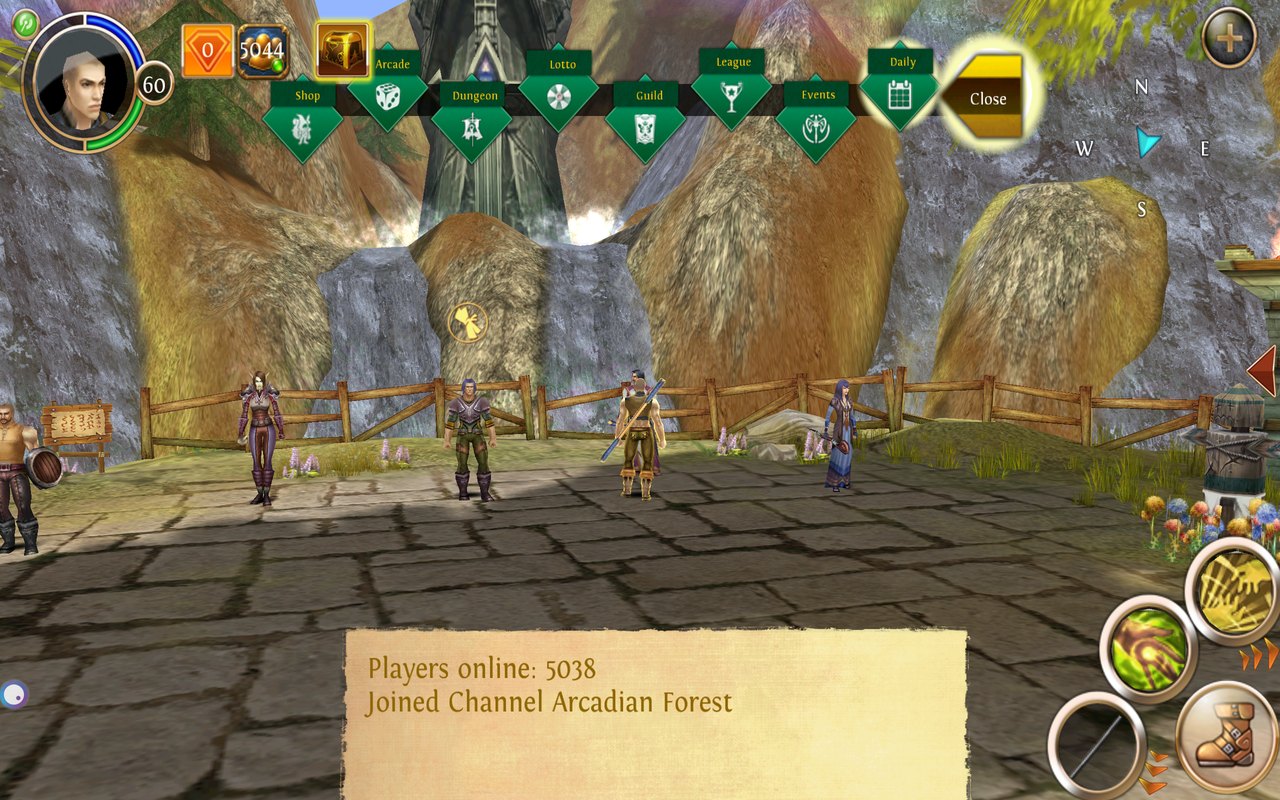
- Touch the golden Menu button at the top right of the screen to open the top menu, then touch the Daily banner.
"Daily Bonus" tab: the monthly calendar
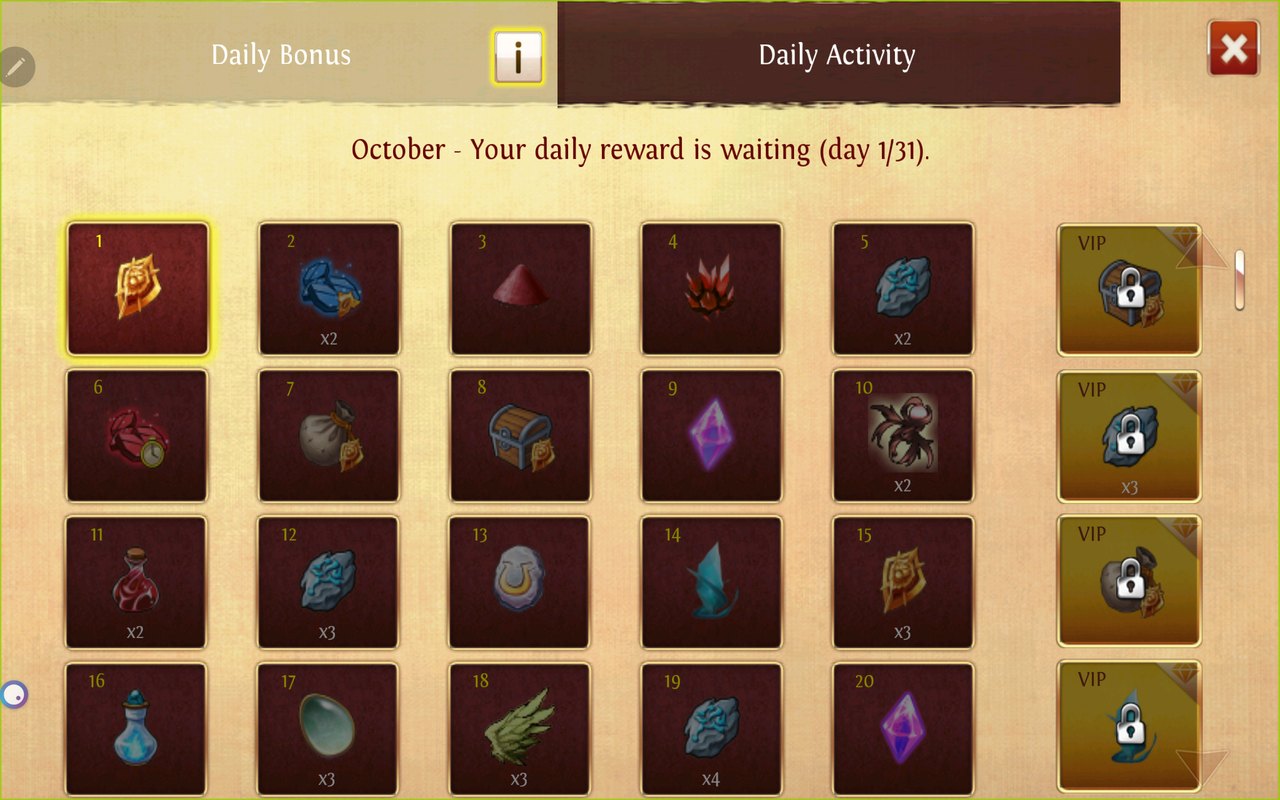
- The calendar has as many boxes as there are days in the month (28 to 31).
- You claim one box per day, in order: your first login day of the month gives box 1, the second gives box 2… even if you start on the 17th.
- Missing a day doesn't make you lose anything you already have, but it puts you behind: the last box (the grand prize, s seasonal mount) can only be obtained by claiming a box every day of the month.
- The calendar is shared across your whole account: one box per day, whichever character you play.
- The items change from day to day and from month to month. The calendar goes back to box 1 on the 1st of the month at 2:00 a.m., Paris time.
- The VIP column (6 boxes: days 5, 10, 15, 20, 25 and the last day) unlocks at Royal rank 5.
- Your item goes to your bag, or arrives by mail if your bag is full.
"Daily Activity" tab: today's activities
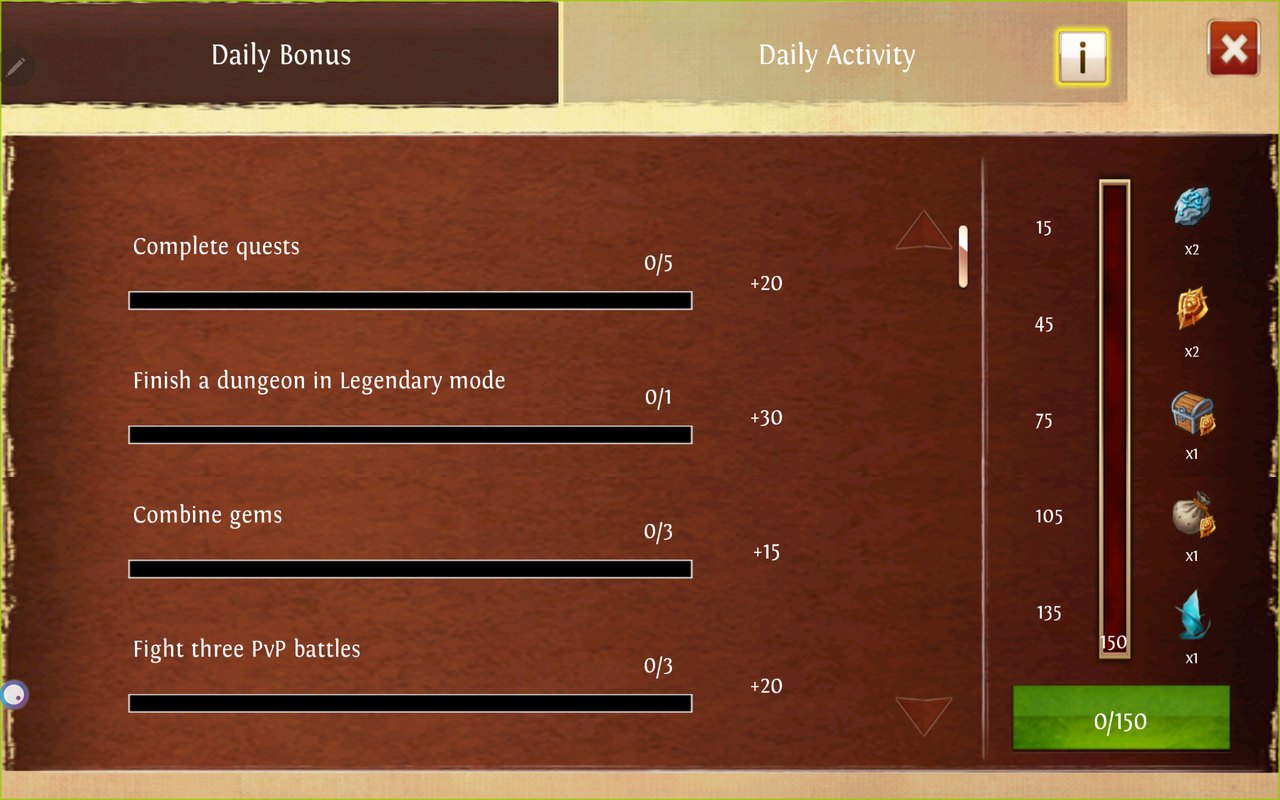
Each completed activity fills the gauge (150 points in total). The counters are **specific to each character** and reset to zero every day at 2:00 a.m. (Paris time).
| Activity | Goal | Points |
|---|---|---|
| Complete quests | 5 quests | 20 |
| Finish a dungeon in Legendary mode | 1 (final boss defeated) | 30 |
| Combine gems | 3 combinations (successful or failed) | 15 |
| Fight three PvP battles | 3 battles (arena, won or lost) | 20 |
| Capture a mount | 1 | 25 |
| Buy an item in Nick's shop | 1 purchase with runes | 15 |
| Vote for the server | 1 confirmed vote | 25 |
The gauge's 5 chests:
| Points | Chest |
|---|---|
| 15 | 2 × Essence of Soul Signet |
| 45 | 2 × Hero Emblem |
| 75 | 1 × Small Chest of Hero Emblems |
| 105 | 1 × Package of Hero Emblems |
| 135 | 1 × Crystallized Soul Signet |
Step by step
- Open the top menu and touch Daily. The Daily Bonus tab shows where you stand: "October - Your daily reward is waiting (day 1/31)". Today's box has a yellow frame; the VIP column on the right shows a padlock.
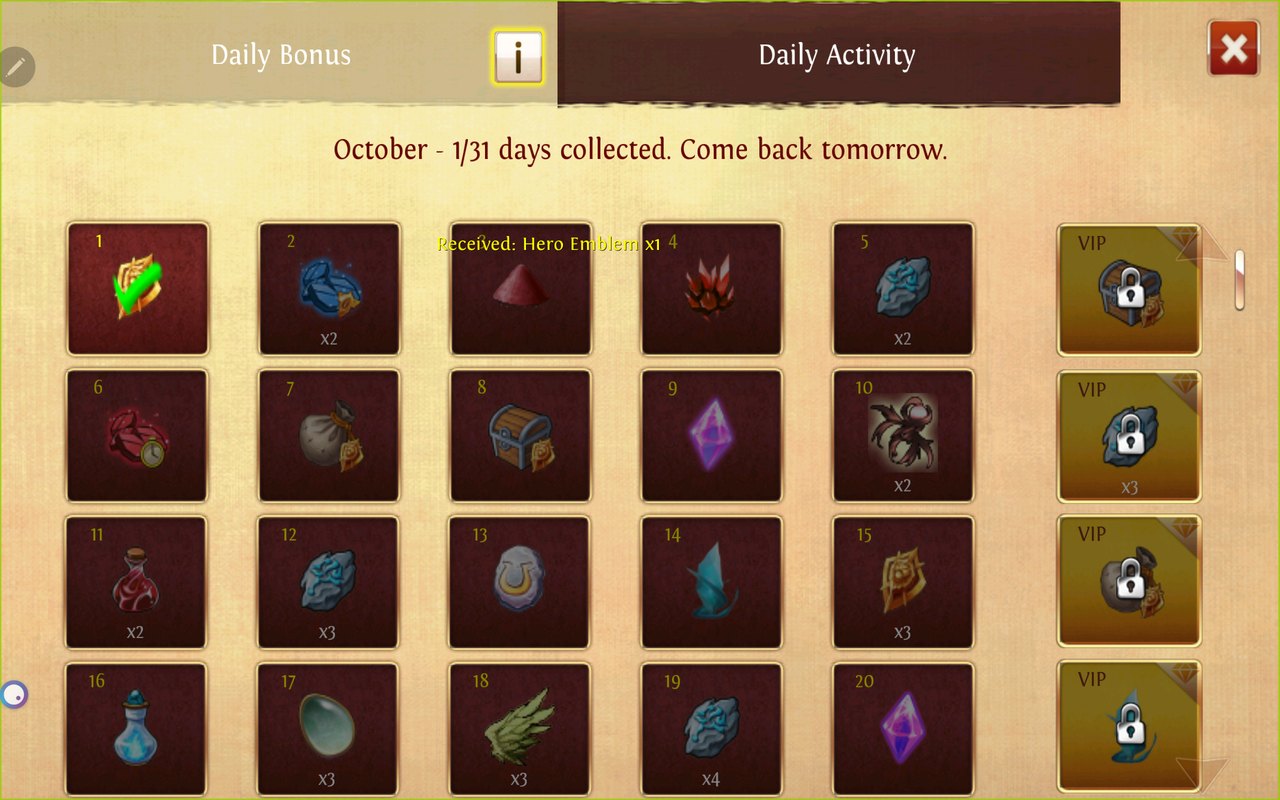
- Touch today's box: the item goes to your bag ("Received: Hero Emblem x1") and the box is checked. Come back tomorrow for the next one.
- The Daily Activity tab shows today's activities (done / goal, points) and, on the right, the 150-point gauge with its 5 chests. When the gauge reaches a chest, touch it to open it.
Frequently asked questions
- I missed a day, do I lose everything? No: you pick up at the next box the following day. You just won't be able to reach the last box this month.
- Does each character have its own calendar? No, there is a single calendar per account. Activities, however, count per character.
- When does the day change? At 2:00 a.m., Paris time.