
You finally have a powerful weapon or piece of armor, but you don't like how it looks? Transformation lets you keep all the stats of your item while giving it **the look of another item**. This tutorial explains how it works, walks you through it step by step with in-game screenshots, and shows you a real "before / after".
How it works
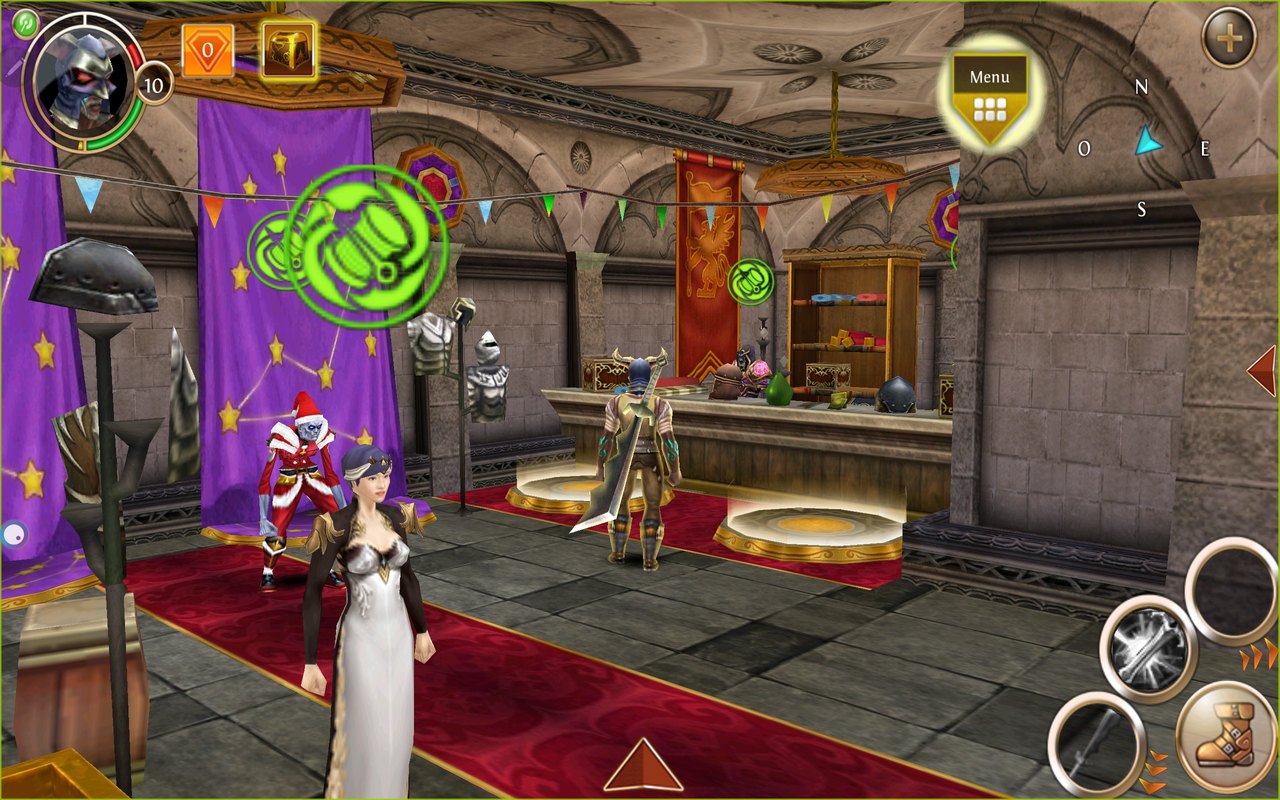
Where to go
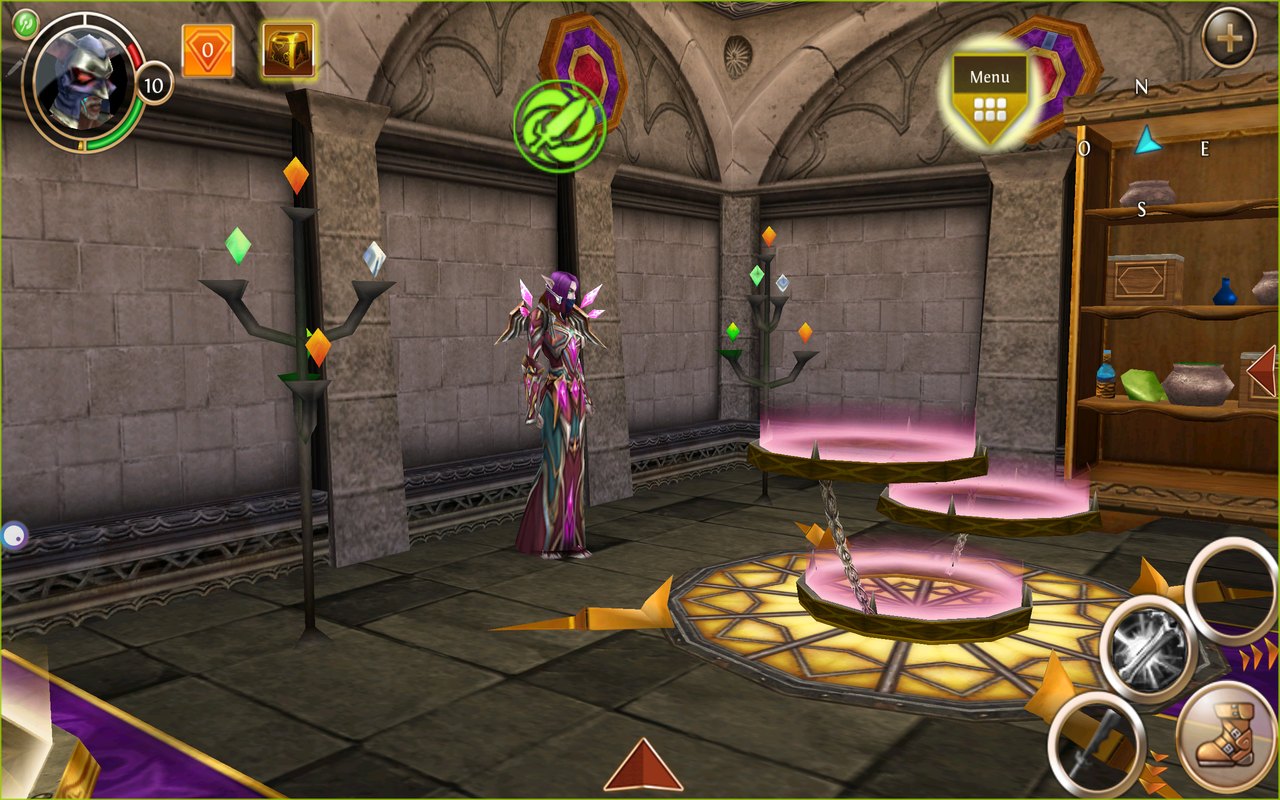
- The Illusionists of Greenmont: Miriam Mirage, Francesca Fantacia and Phrancisco Phantom. You'll find them on the street of the Gown Shops.
- Look for the green icon (sword + swirl) above their heads, then tap one of them to open the Transform window.
The basics
- The target is the item you are wearing: it keeps everything (damage, speed, armor, stats, "Equip" bonuses, socketed gems, required level).
- The source is an item from your bag: it only gives its look.
- The result: your item keeps its power, but it has the look of the source, for you and for every player who sees you.
- The look stays with the item: if you take it off, store it or equip it again, it keeps its new look.
What it costs
- Paid in Hero emblems, per transformed piece, depending on the quality of the item you are wearing:
| Quality of the worn piece | Price |
|---|---|
| Excellent (green) | 10 Hero Emblems |
| Rare (blue) | 20 Hero Emblems |
| Epic (purple) | 40 Hero Emblems |
- The source item is destroyed: it disappears from your bag when its look is applied.
- The transformed piece becomes bound (its tooltip says so): you can store it in your storage chest, but trading, mail and the auction house will refuse it.
- Going back to the original look is free, at any time, at an Illusionist.
The rules
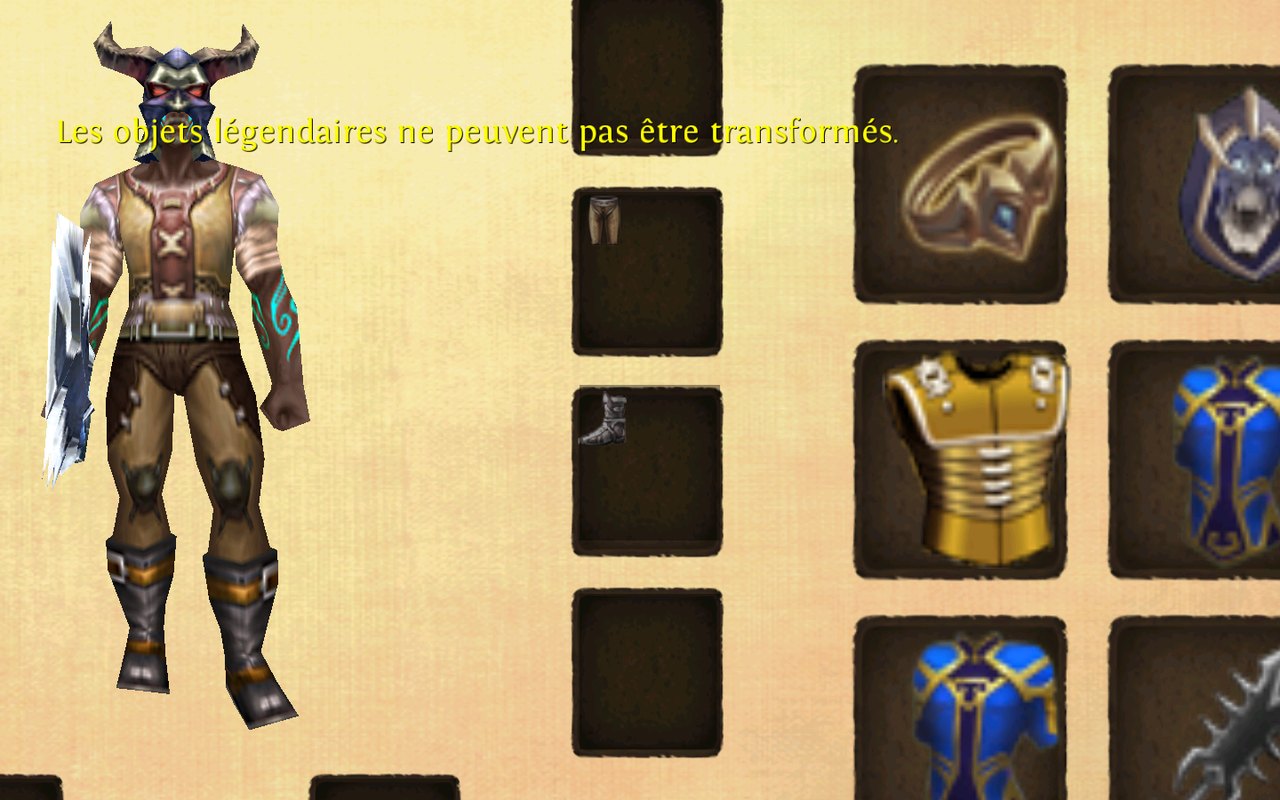
- Both items must be of Excellent, Rare or Epic quality. Legendary items can't be transformed, nor used as a source.
- Your character must be able to equip both items (level, class).
- Armor: same slot and same armor type (plate on plate, cloth on cloth…). A robe counts as a chest piece.
- Costumes: a costume from the Gown Shops gives its look to any piece in its slot (a hat on any helmet, a jacket on any chest piece), whatever the armor type.
- Weapons: same weapon type. Exception: bows, crossbows and guns are interchangeable.
- Hands: a main-hand weapon with a main-hand weapon, an off-hand weapon with an off-hand weapon; a one-handed weapon can be used for either. A two-handed weapon goes with a two-handed weapon.
- An item with socketed gems can't be used as a source (its gems would be destroyed with it).
- You can transform several pieces at once.
Which pieces
The 10 slots of the window: head, shoulders, back (cape), chest, hands, legs, feet, ranged weapon, main hand, off hand. Jewelry (necklace, rings, talismans) isn't visible on your character, and cosmetic accessories (wings, horns, tail, light at your feet) are already pure looks: they don't go through Transformation. The shirt isn't included either.
Step by step
- Go see an Illusionist in Greenmont and tap them.
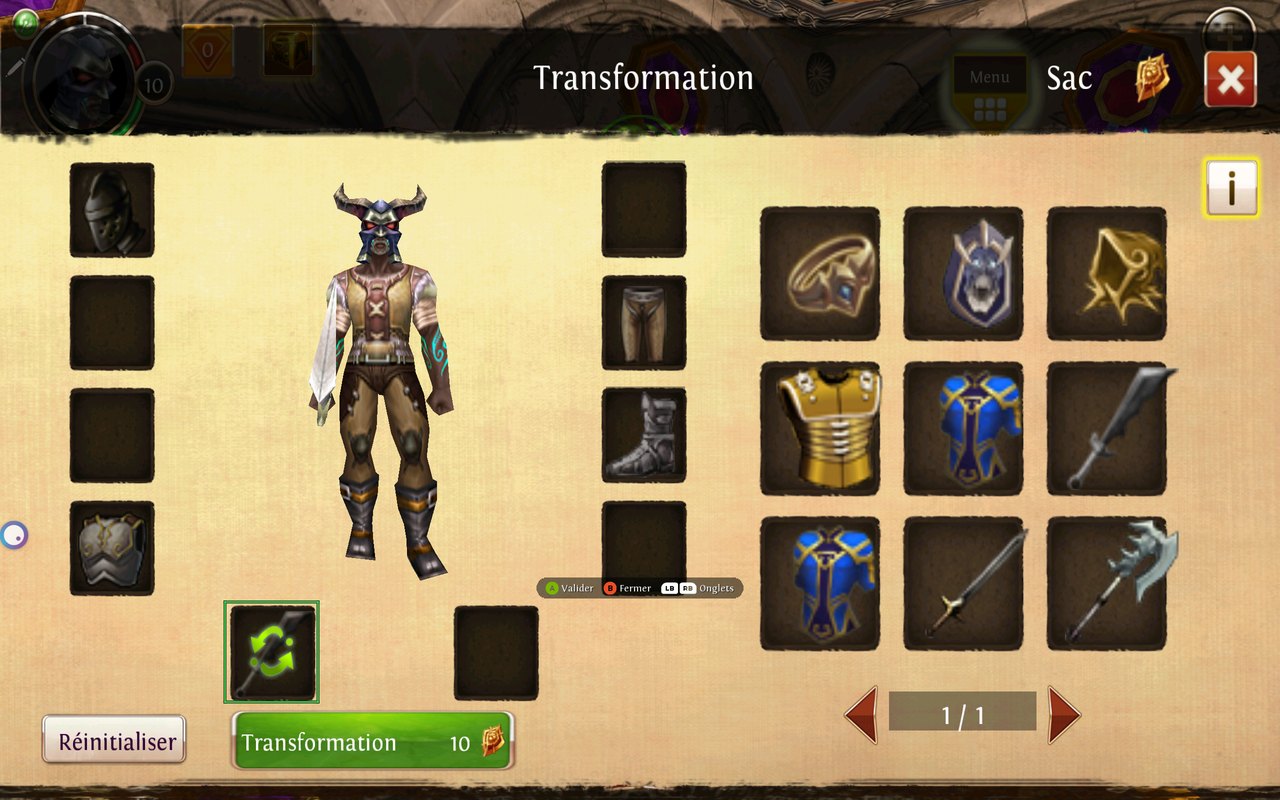
- The window opens: on the left and at the bottom, the 10 slots of what you're wearing; in the middle, your character in 3D (rotate it with your finger); on the right, your bag, which only shows the items you can use.
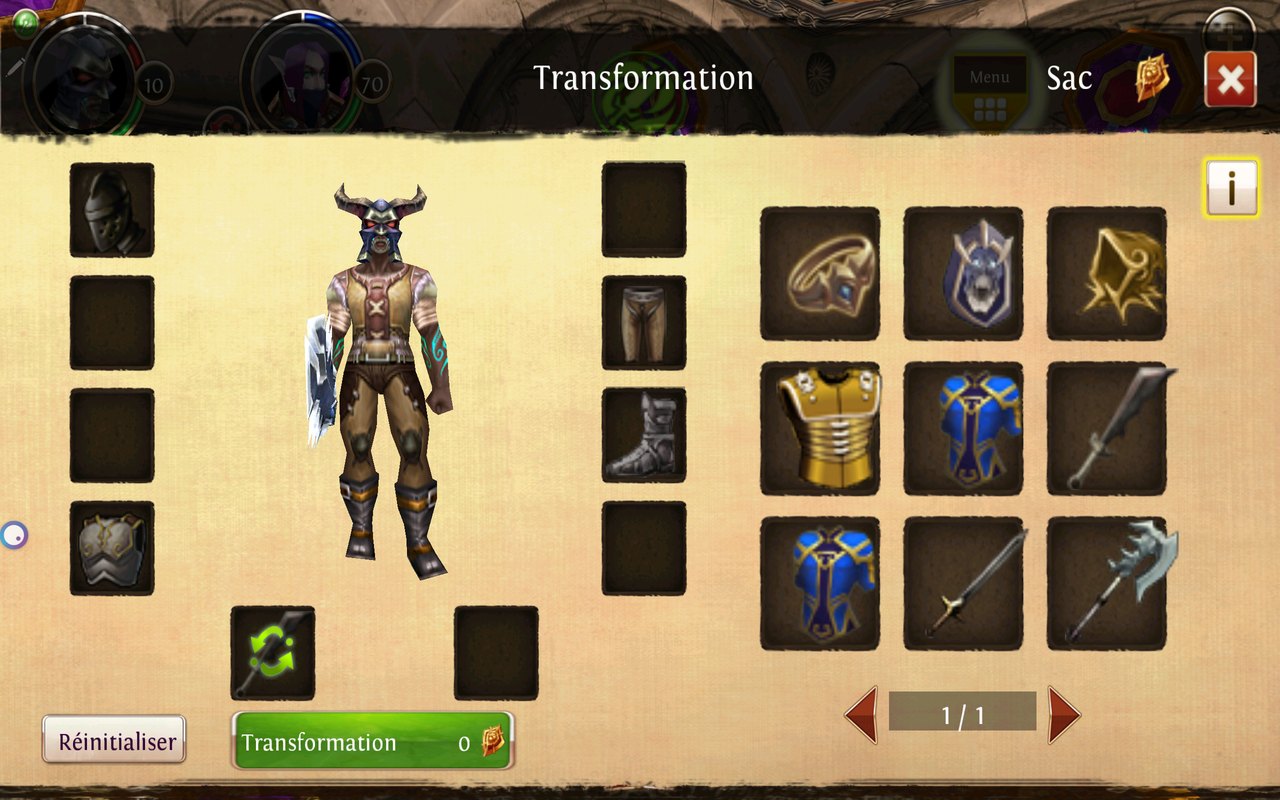
- Drag an item from the bag onto a slot. You can also tap the item and then tap the slot: the compatible slots light up.
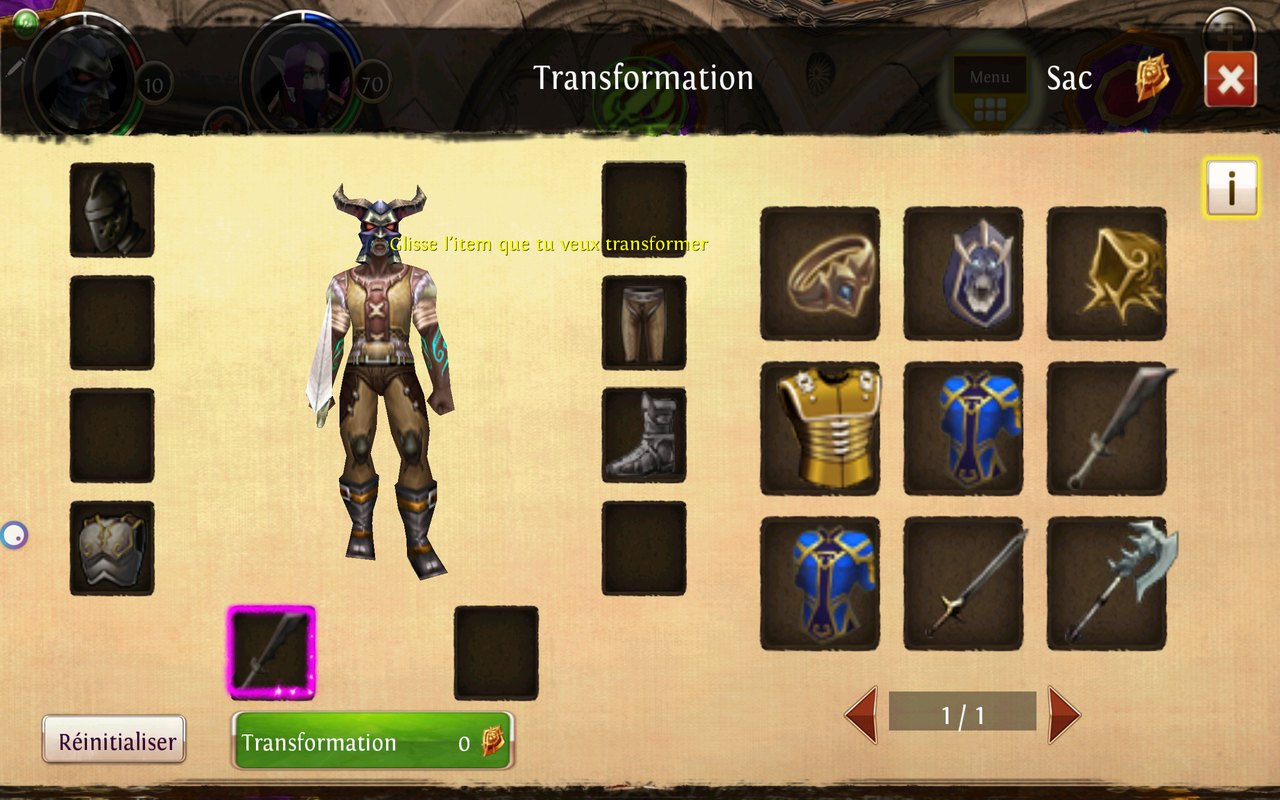
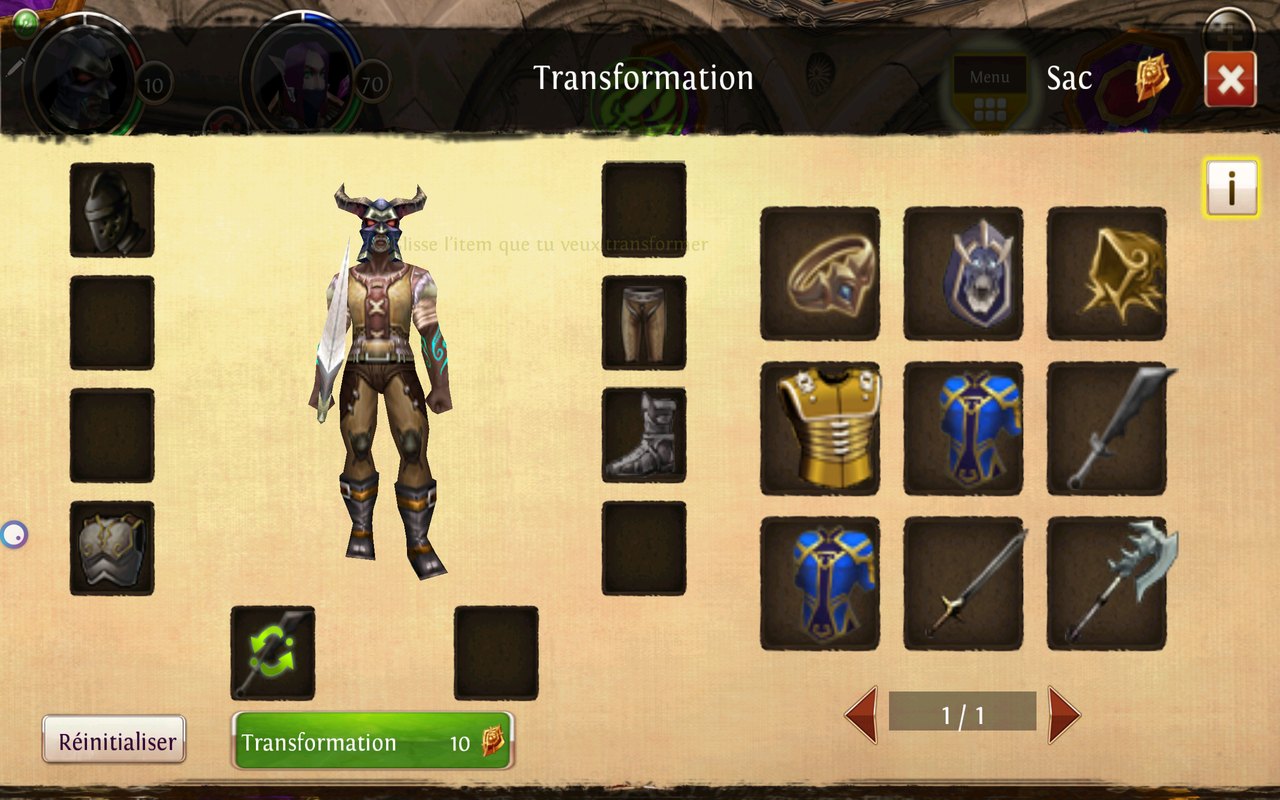
- The piece is placed: the 3D preview already shows the result, and the price appears on the green button. The small button in the corner of the slot cancels the placed piece.
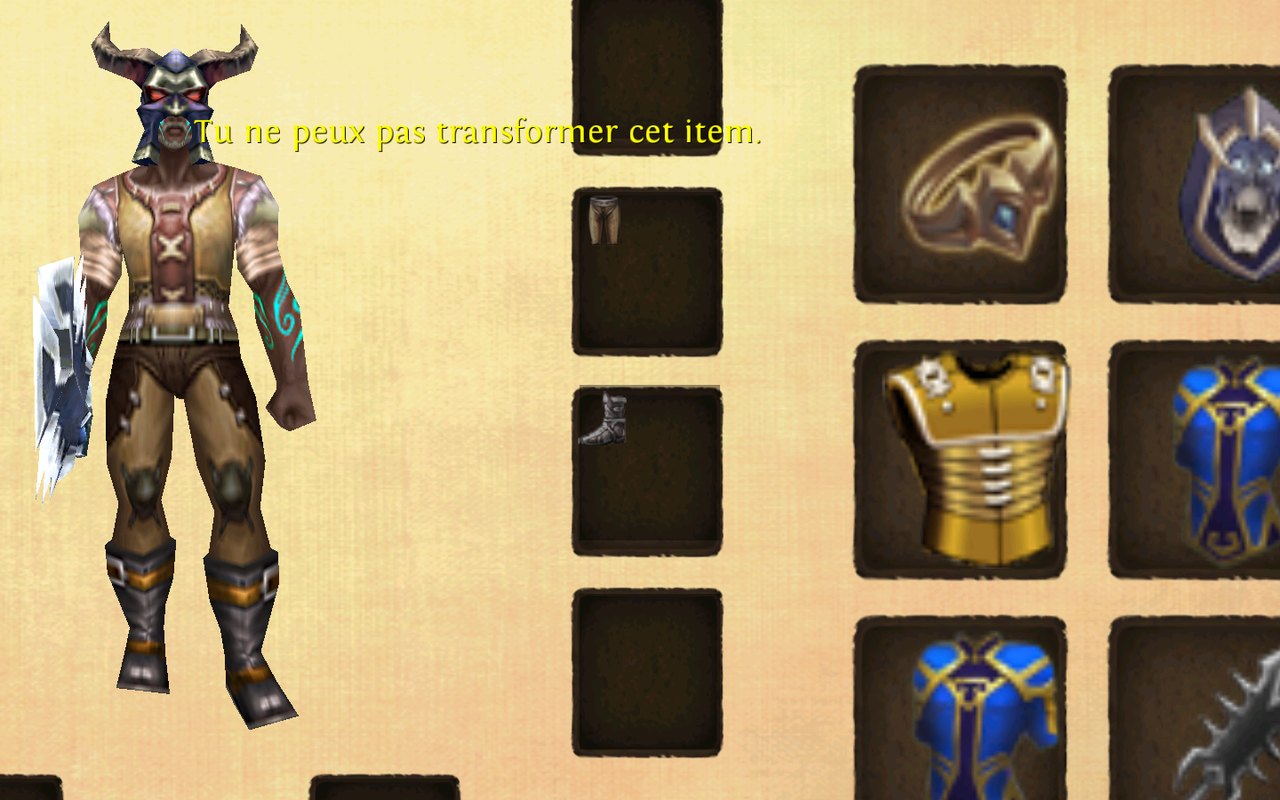
- If a rule isn't met, the game tells you right away.
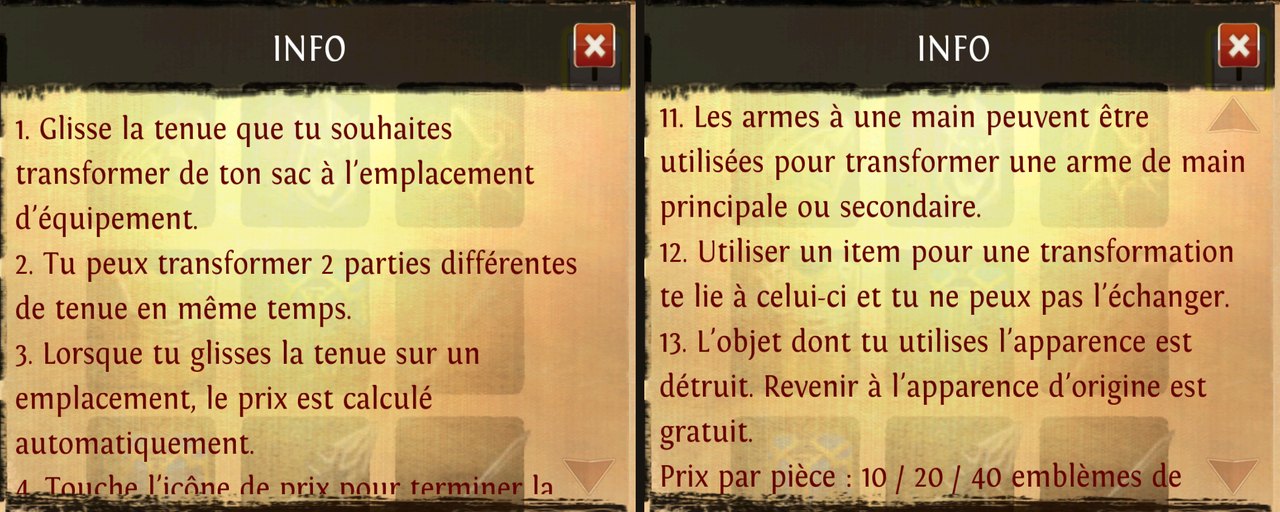
- The i button lists all the rules and prices.
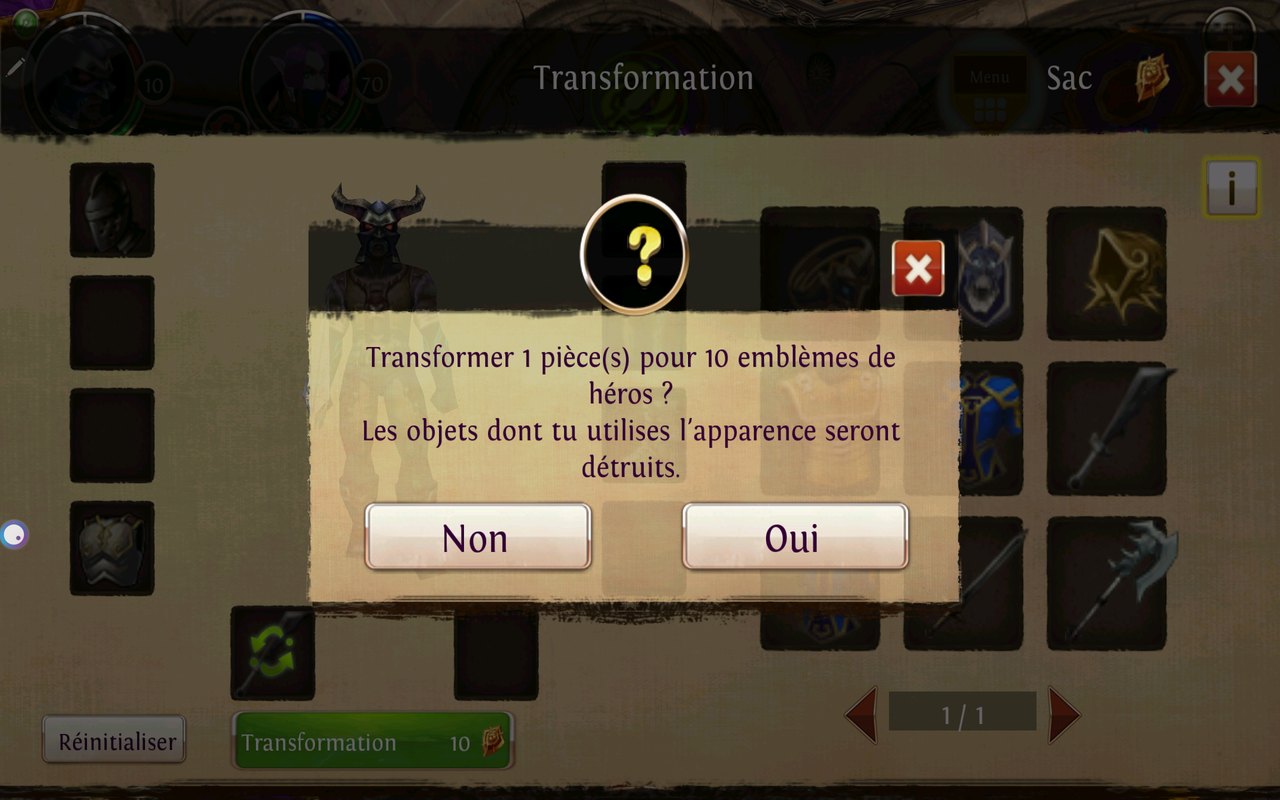
- Tap the price button: the game checks everything, then asks you to confirm and reminds you that the items used will be destroyed.
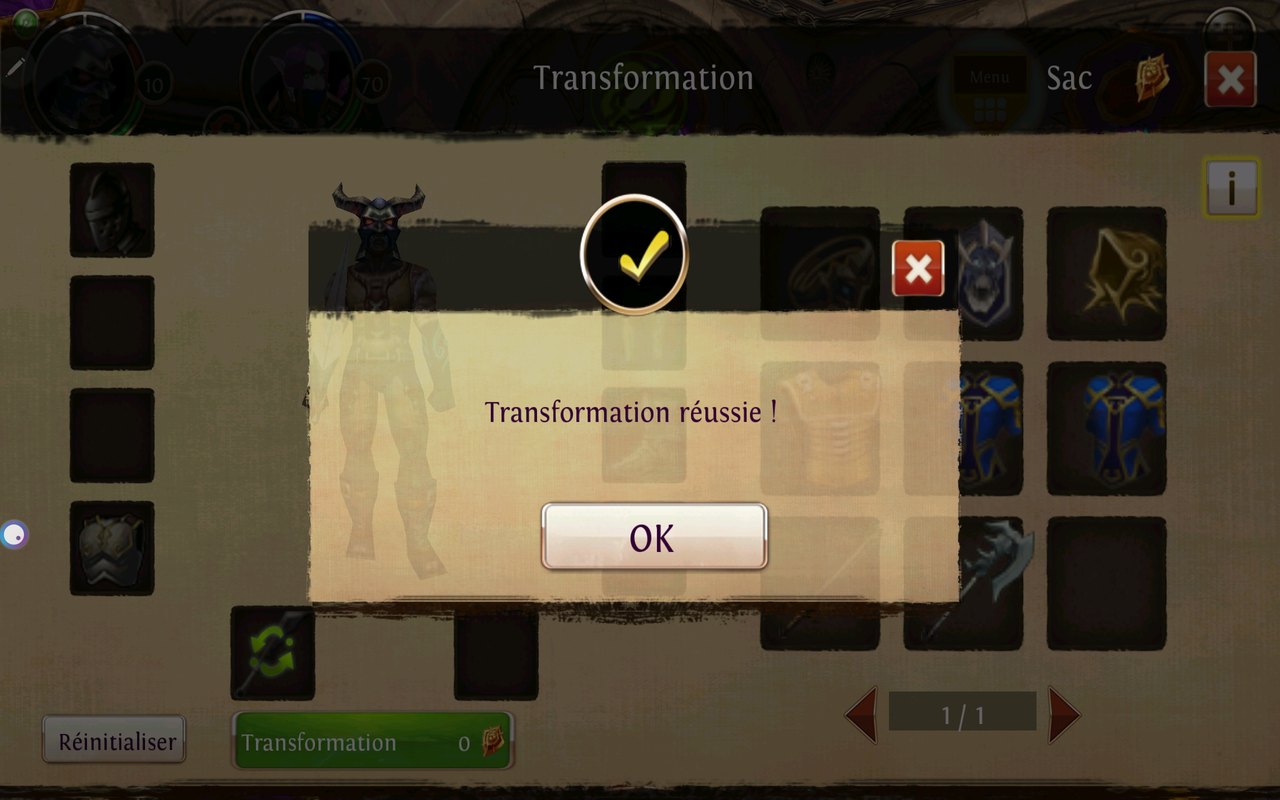
- Confirm: done!
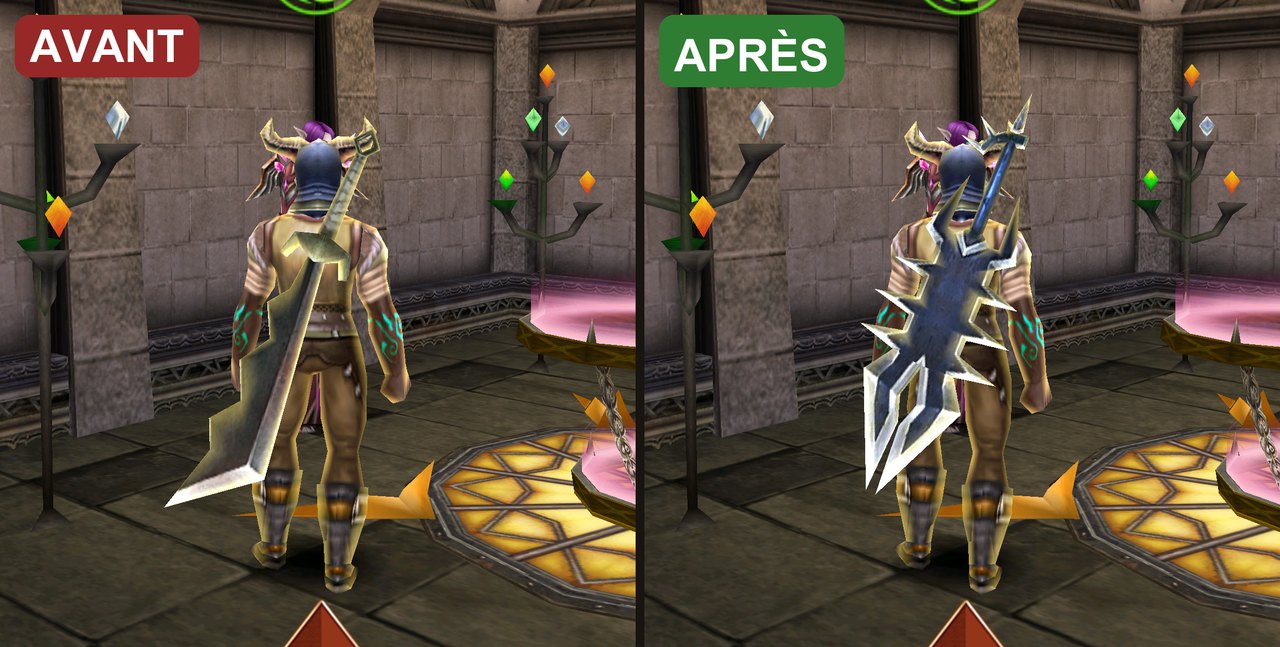
Before / after: the Captain's Claymore
A real example: a worn Captain's Claymore, transformed with the look of a Kelong Sword (purple two-handed sword), for 10 Hero Emblems.
And on the item's tooltip: the stats haven't changed one bit (29-47 damage, speed 2.2, +6 Strength, +11 Attack Power). Just one extra line: "Transformed into: Kelong Sword".
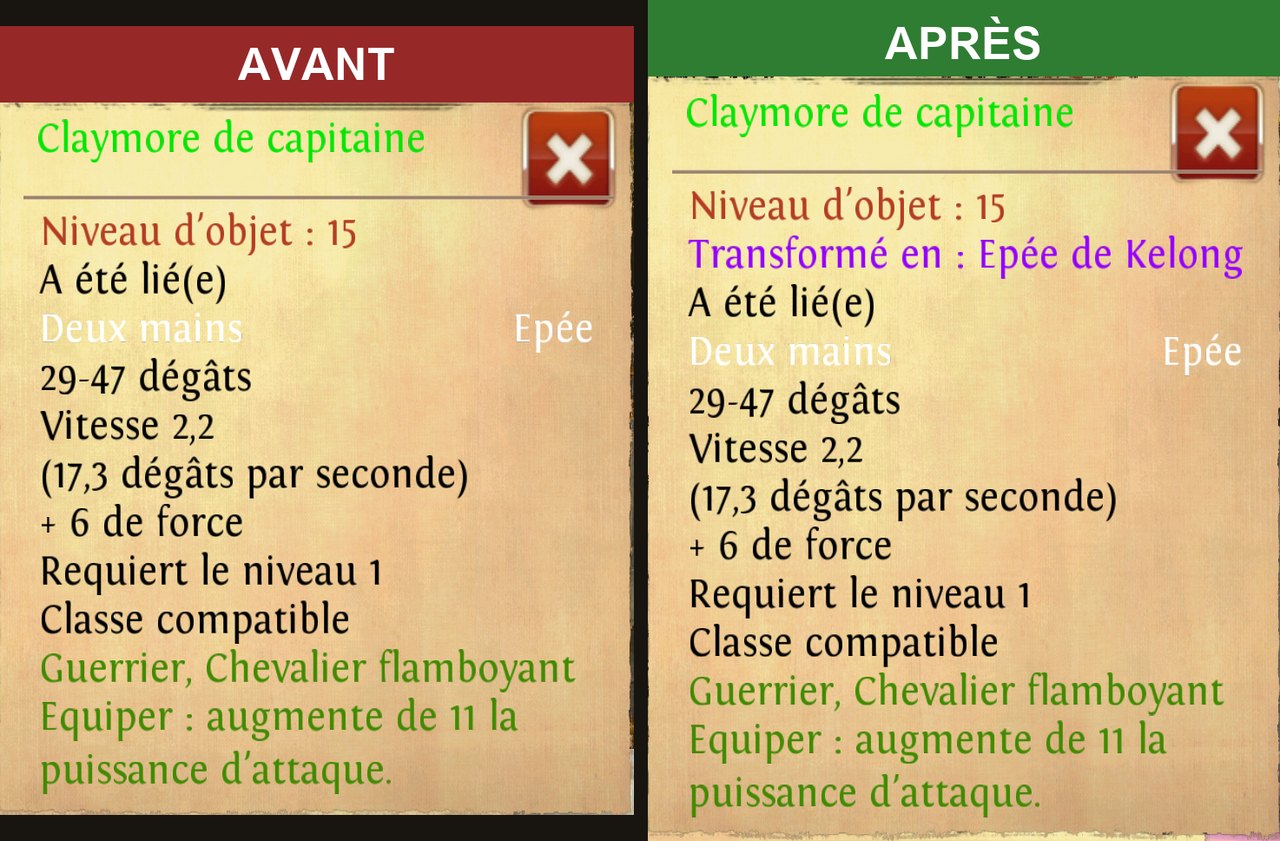
As for the Kelong Sword, it was destroyed: it was only used to give its look.
Going back to the original look
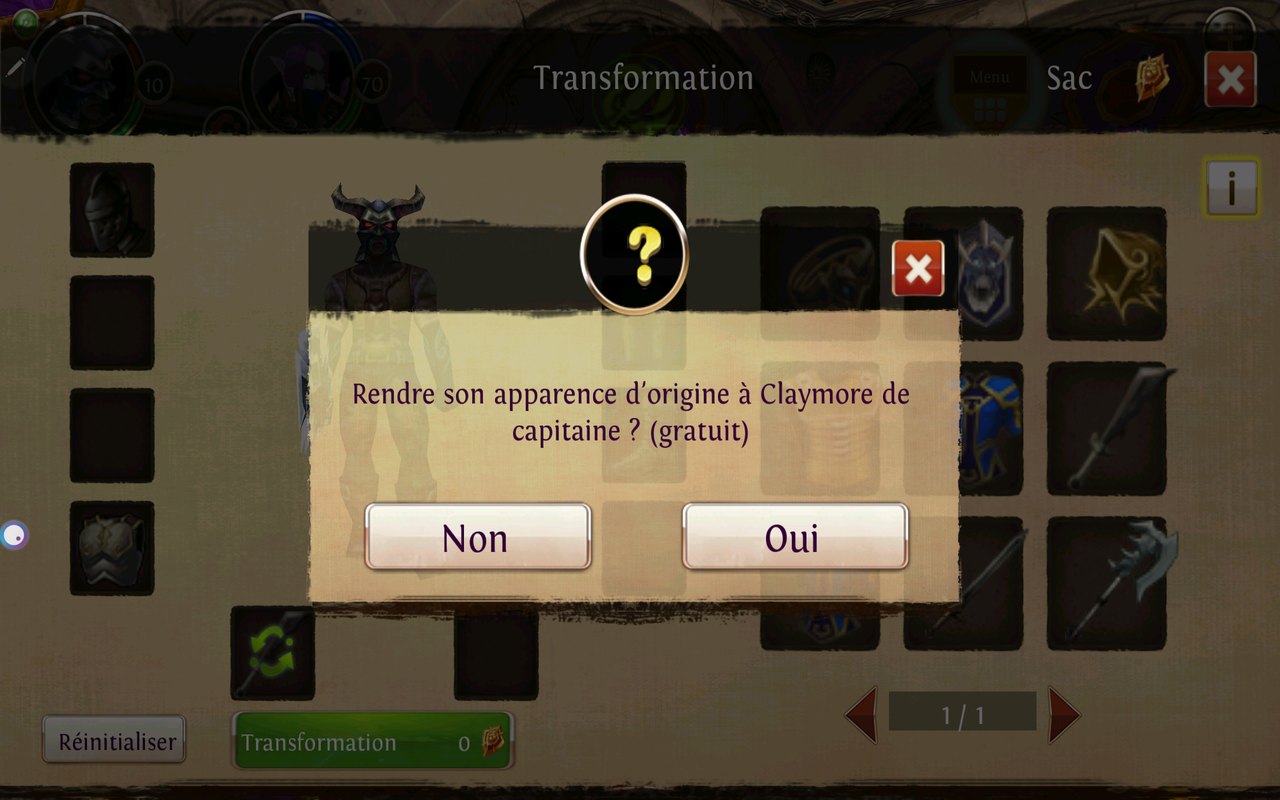
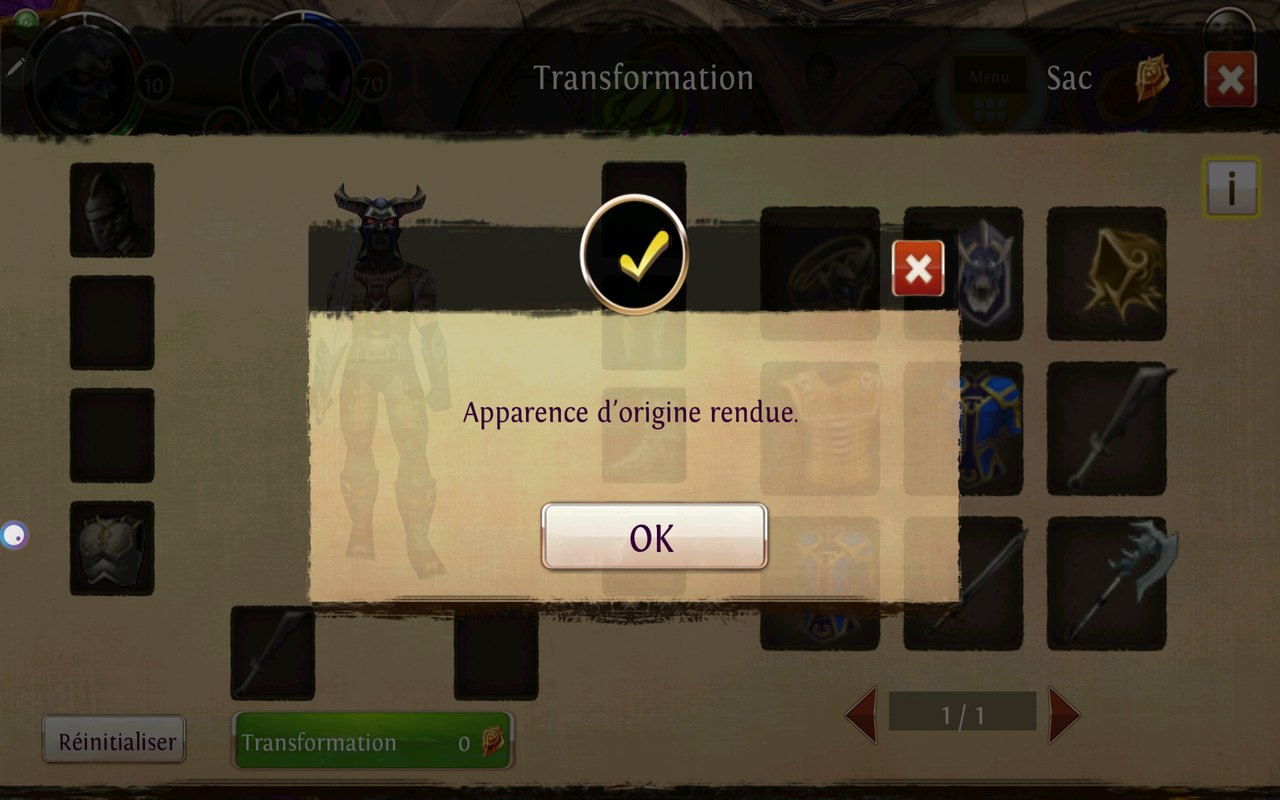
- On a piece that's already transformed, tap the small button in the corner of the slot: the game offers to restore its original look, for free.
- The RESET button clears the pieces you just placed; if there are none, it offers to restore the original look of all your transformed pieces.
- The destroyed source item doesn't come back, and the piece stays bound.
With a controller
- RT targets the nearest Illusionist, A opens the Transform window.
- The D-pad moves the selection; A on a bag item picks it up, A on a slot places it.
- B closes the window: if pieces are placed, the game asks "Do you want to cancel all the changes?".
Costumes
The Gown Shops, right next to the Illusionists (Fabian, Feasting, Fatima, Faustine), sell costumes for Alteration Cocoon. They are made for Transformation: a costume gives its look to any piece in its slot. You can also wear it directly, but it gives no stats.
FAQ
- Do my stats change? No, never. Only the look changes.
- Do I get the source item back? No, it's destroyed. Choose it carefully!
- Do other players see my new look? Yes, everyone sees it.
- What if I change my gear? The look stays on the transformed item: take it off and it keeps it; put it back on and the look comes back.
- Can I transform a legendary item? No, just like in the original version.
- Does going back to the original look cost anything? No, it's free.