


Fancy a new look? At the beauty salon, you change your character's skin, hairstyle, hair color, face and tattoo, with a live preview before you pay. This tutorial walks you through it step by step with in-game screenshots.
How it works
Where to go
- May'La'La waits for you at the Beauty Salon in Greenmont, right behind Rynime. Kiara Wilt offers the same service at the Sanctuary on Flare Island.
- Look for the comb icon above their heads, then tap them.
The basics
- The choices are the same as at character creation: 8 options for skin, hairstyle, color and face, 6 for the tattoo (including "none"), whatever your race.
- The preview shows your character with the new features before any payment (your helmet is removed during the preview).
- Price: 500 Runes per visit, however many features you change. If you change nothing, you pay nothing.
- The salon opens at level 9.
- After the change, the game takes you back to the character selection screen; your new look is visible to everyone.
Step by step
- Tap May'La'La: the Your new features window opens, with the preview on the left and the five settings on the right.
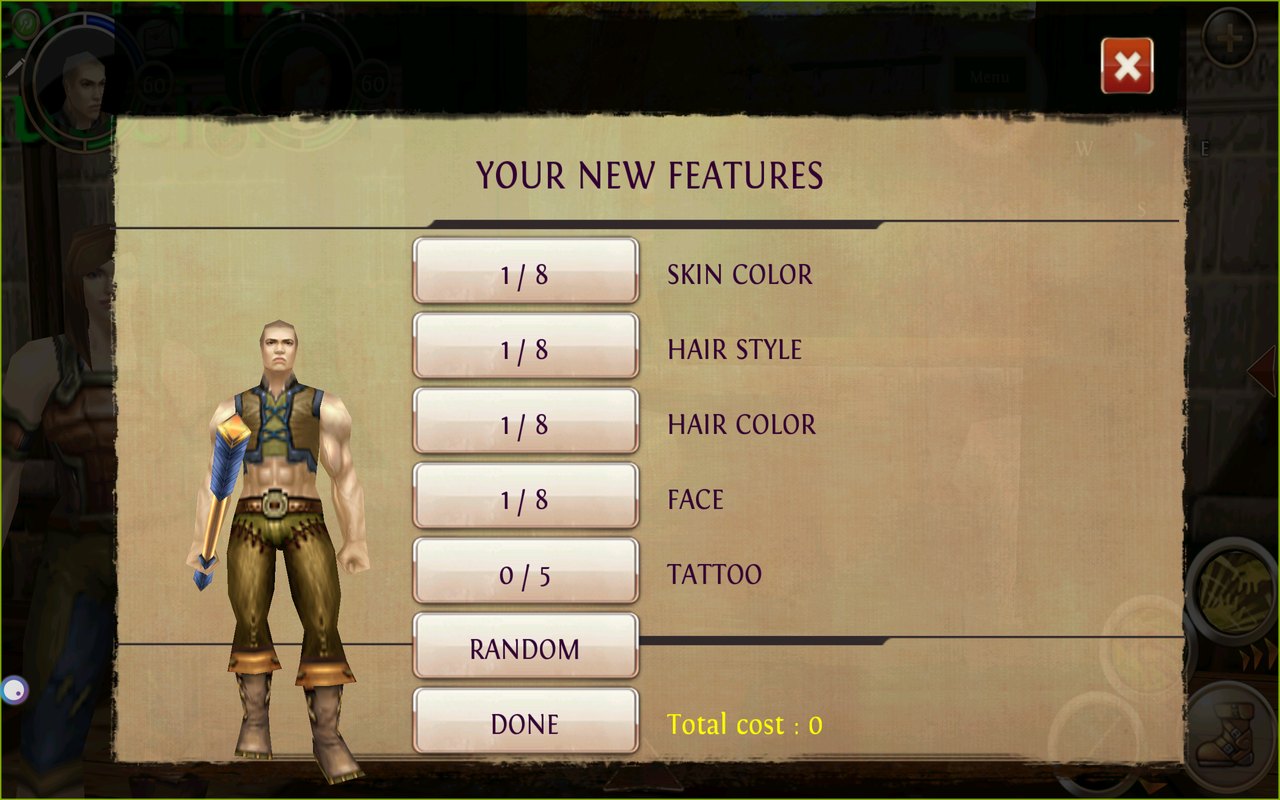
- Tap a setting to switch to the next option: the changed value turns green, the preview follows live and the total cost goes up to 500 runes. Random picks a look for you.
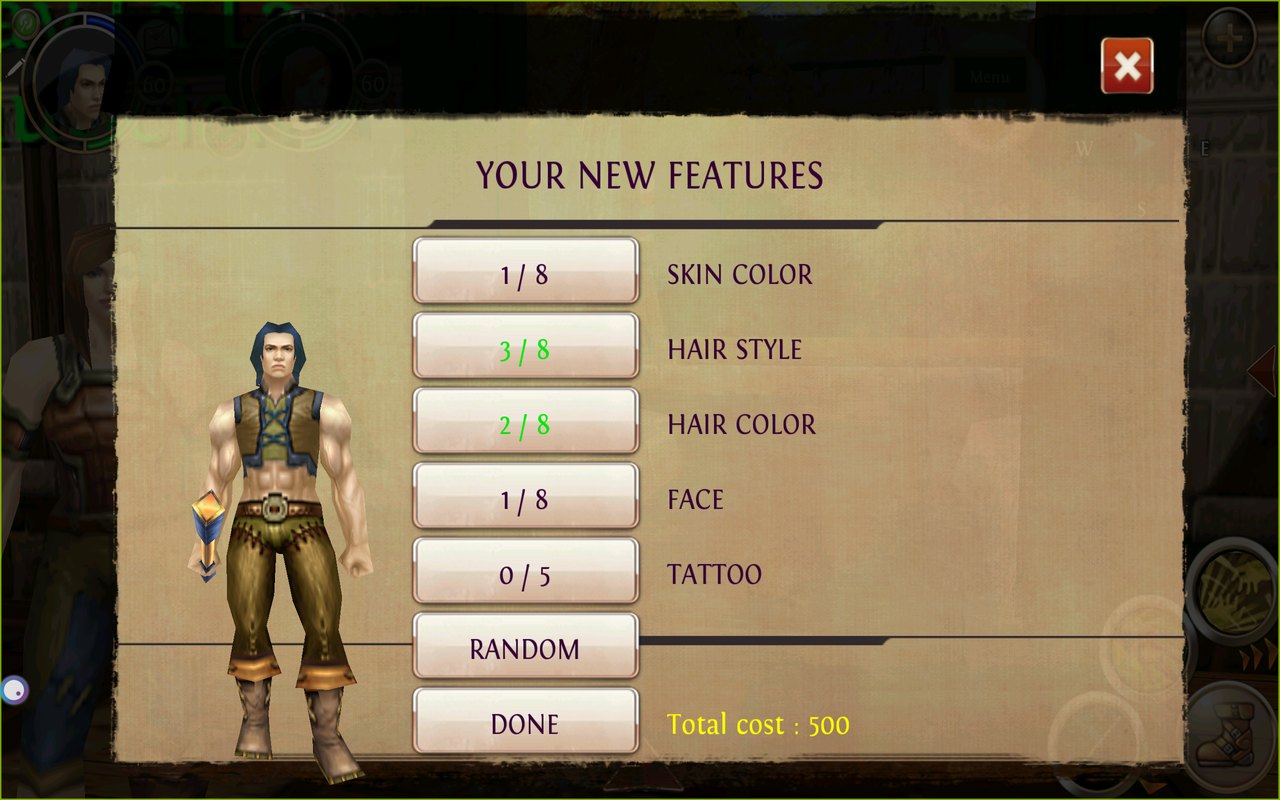
- Tap Done: the game asks you to confirm. Cancel takes you back to the settings without paying anything.
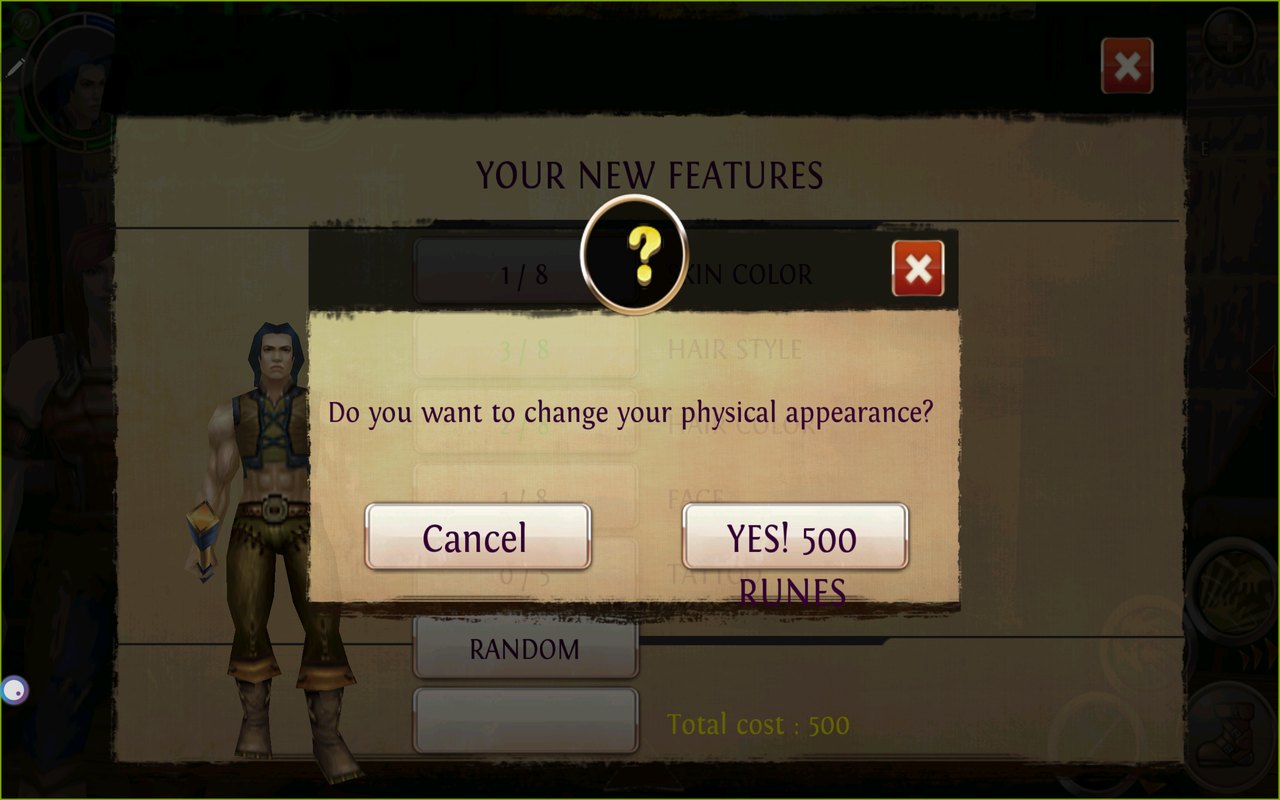
- Confirm: the runes are taken, the game takes you back to character selection, and you come back into the game with your new look.
Frequently asked questions
- Do I pay for each feature I change? No, 500 runes for everything you change at once.
- Can I change my race or gender? No, only skin, hairstyle, color, face and tattoo.
- What about my name? That's another service: see the name change.