

Leveling up, defeating rare monsters, exploring, crafting… Every feat can become an achievement, with points, s reward to claim and sometimes a title to show off. This tutorial shows you where to find them, with in-game screenshots.
How it works
Where to find them
- Open the menu (your portrait at the top left), then Character, Achievements tab.
The basics
- Nearly 480 achievements, sorted into categories: the Category arrows scroll through the categories (All = every achievement).
- At the top: your current title, the number of completed achievements and your achievement points.
- Tap an achievement to see its details: what you have to do, with your progress ("done / goal") for each condition, then the reward.
- The colors of the list: green = completed, blue = in progress, gray = not yet achievable on Haradon (for example the battleground ones).
- A completed achievement gives points and a reward to claim in its details. Some of them give a title.
Step by step
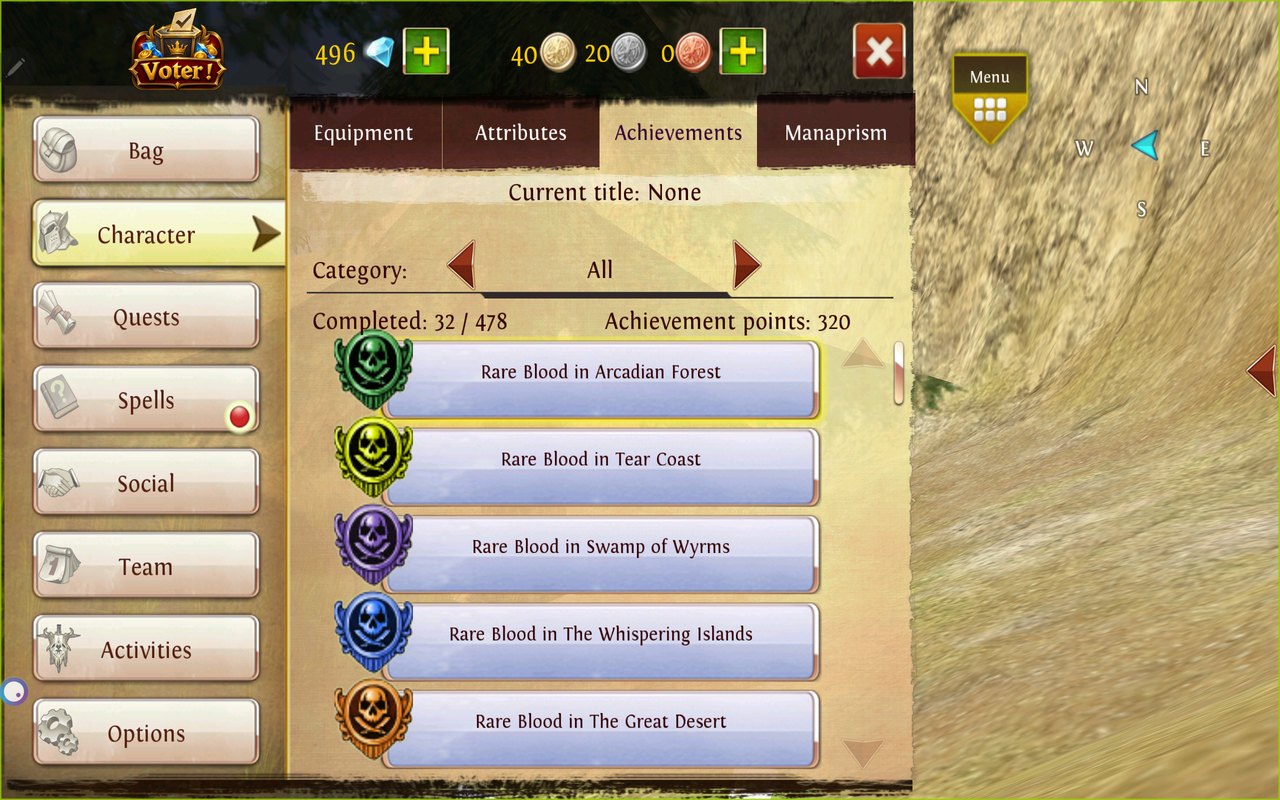
- The Achievements tab, All category: 32 achievements completed out of 478 for this character, 320 points.
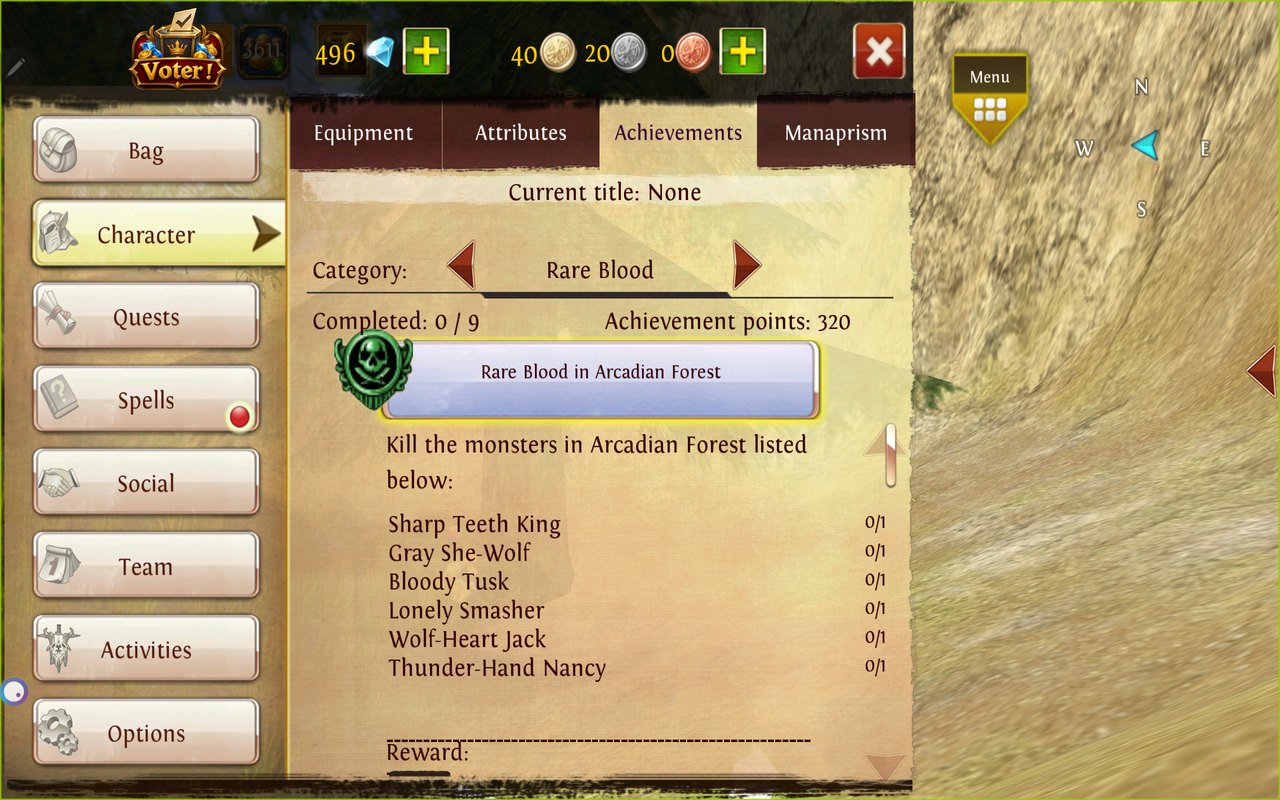
- The details of an achievement of the Rare Blood category: defeat six rare monsters of the Arcadian Forest, each counted "0/1", then the reward below.
Frequently asked questions
- An achievement is gray, why? It's not achievable on Haradon yet.
- Where can I see my points? At the top of the tab, next to the number of completed achievements.